Essential Virtual Assistant Tools: What Every VA Needs in 2026
In this article
Tools separate the $20/hr VA from the $60/hr VA.
Not talent. Not connections.
Every tool you master makes you faster, more organized, and harder to replace. This guide covers every category you need — from project management to AI productivity — with honest picks for every budget level, including the free options that work just as well as paid.
What Are Virtual Assistant Tools?
Virtual assistant tools are software applications that help remote workers manage client tasks, communicate asynchronously, track time, store files, and automate repetitive work. Mastering the right tool stack is one of the fastest ways to increase your hourly rate — specialized VAs who demonstrate tool proficiency consistently charge 2–5x more than generalists, according to VA Networking Association surveys.
Here is the thing about VA tools: clients do not hire you to figure out their systems. They hire you to run them.
The best VAs arrive already knowing how to use ClickUp, Slack, Google Drive, and Loom. They jump into a client’s workflow on day one and start producing output — not asking “how does this work?”
That is the real value of building your tool stack before you land your first client.
There are five categories every VA needs to master:
- Project and task management — where work gets organized and tracked
- Communication — how you stay in sync with clients without constant meetings
- Time tracking and billing — how you get paid and stay accountable
- File storage and document management — where work lives and how it gets shared
- AI productivity tools — how you multiply output without burning out
Some of these tools will be assigned by your clients. Others you will bring to the relationship as part of your professional toolkit. Either way, knowing them before you are asked is the edge.
Not sure which skills you already have? Start with the virtual assistant skills checklist to see where tools fit into your full professional profile.

What Project Management Tools Should a VA Know?
Virtual assistants use project management tools to track tasks, manage deadlines, and communicate project status without relying on email threads. The most widely requested tools are Asana, ClickUp, and Trello — ClickUp appeared in 47% more VA job listings in 2025 than in 2024, per G2’s workforce automation analysis.
Project management tools are the backbone of every VA workflow. When a client assigns a task, it goes here. When a deadline shifts, it shows up here. When a project stalls, you flag it here.
Once you understand the logic of one PM tool, picking up others takes hours, not weeks. They all run on the same principles — tasks, assignees, due dates, status updates.
The four to prioritize:
Asana — Standard for mid-sized businesses and agencies. Clean interface, strong for project-based work. The free plan covers most VA needs at entry level.
ClickUp — More powerful, more complex. Favored by solopreneurs and fast-moving teams. The free plan is generous, and learning ClickUp well is a genuine hiring differentiator in 2026.
Trello — Board-based (Kanban style). Simple, visual, easy to explain to new clients. Best for straightforward workflows with fewer moving parts.
Notion — Part project management, part wiki, part database. Used widely by solo creators who want everything centralized. If your niche is creator support, Notion is essential.
Where to start: Pick one and build something real in it. Create a mock client project. Practice moving tasks through stages. Then learn a second one. Clients will forgive not knowing the fourth option — they will not forgive knowing none of them.
What Communication Tools Does a Virtual Assistant Need?
The most important communication tools for virtual assistants are Slack (team messaging), Loom (async video), and Zoom (scheduled calls). A 2025 Slack study found that remote workers who used asynchronous video updates reduced scheduled meeting time by an average of 38%, giving VAs a measurable advantage when working with time-pressed clients.
The goal of VA communication tools is to keep clients informed without booking meetings.
Meetings are expensive. Every 30-minute call your client takes with you is 30 minutes they are not serving their own customers. VAs who get retained long-term are the ones who make their clients’ communication lives simpler.
Slack — The dominant async messaging platform. Most professional clients are already on it. Learn channels, threads, reactions, and how to set availability. Slack etiquette matters — knowing when to message versus when to email versus when to book a call signals professionalism immediately.
Loom — Record your screen and face to explain work without scheduling a call. Instead of writing “here’s what I did this week” in an email, record a three-minute walkthrough. Clients retain information better from video, and Loom builds trust faster than text-only updates.
Zoom / Google Meet — For scheduled calls when async is not enough. Know how to share your screen, use the waiting room, and record sessions when permitted. These are basic hygiene at this point.
Gmail and Google Calendar — Many clients still run on email. Know how to organize a client inbox using labels, filters, and templates, handle calendar scheduling on someone else’s behalf, and write professional replies that match your client’s voice.

Want to know which tools clients are actually asking for right now? Take the free VA quiz to see where your skill profile stands — it takes under 10 minutes.
What Time Tracking Software Do VAs Use?
Time tracking is non-negotiable for VAs working hourly — it protects both the VA and the client from billing disputes and scope creep. The most widely used tools are Toggl Track and Clockify, both free at the individual level. A study by Harvest found that freelancers who tracked time consistently invoiced an average of 11% more hours per month than those who estimated.
Here is what most new VAs learn the hard way: if you do not track it, you will not invoice it.
Memory is not a billing system. A week of unbilled 20-minute tasks adds up to hours of lost income by month’s end. Time tracking software fixes this automatically.
Toggl Track — Free for individuals. Simple one-click start/stop timer. Tags tasks to projects and clients. Generates reports you can send to clients as proof of work. This is the easiest starting point for VAs who have never tracked time before.
Clockify — Free, with more detailed reporting. Better for VAs managing more than two active clients who want to show exactly how time was spent across projects.
HoneyBook or Dubsado — CRM, contract, and invoicing combined. Overkill for beginners but valuable once you are managing multiple clients at once. These handle proposals, contracts, project milestones, and payment collection in one platform.
One critical habit: start a timer before you open a client tab. Stop it when you switch tasks. Do not estimate retroactively. This discipline, more than any specific tool, is what keeps your billing honest and your income predictable month to month.
What File Storage Tools Do Virtual Assistants Need?
Google Drive and Dropbox are the standard file storage tools for virtual assistants, with Google Drive dominant among small business and creator clients. As of 2025, Google Workspace reports over 3 billion active users, making Drive proficiency effectively mandatory for professional VA work.
Every client stores files somewhere. Your job is to keep their assets organized, findable, and properly shared — not to convince them to change systems.
Google Drive — Nearly universal. Know how to create logical folder structures, set sharing permissions (viewer, commenter, editor), work natively in Google Docs/Sheets/Slides, and organize a Drive that has fallen into chaos. Reorganizing a client’s Drive is one of the highest-value one-time tasks you can offer.
Dropbox — Common in agencies and creative businesses. Understand shared folders, file requests, and version history. The organizational principles are the same as Drive, with a different interface.
Notion — Also functions as a document system for clients who run their entire operation inside Notion. If your client uses Notion as their hub, their files live there too — and you need to navigate it comfortably.
What to practice: Build a mock client Drive from scratch. Create a folder structure for a solopreneur — separate folders for client work, finances, branding, content, and admin. Showing this structure to prospects demonstrates exactly the kind of organized thinking they are paying for.

What AI Tools Help Virtual Assistants Work Faster?
AI productivity tools are now one of the fastest paths to higher VA rates. VAs who use AI for drafting, summarizing, and automating repetitive tasks report completing the same volume of work 30–50% faster, per a Zapier AI at Work survey. Faster output means more client capacity, higher income, or both.
AI tools do not replace virtual assistants. They make productive VAs dramatically more productive.
A VA who uses AI can handle more clients, deliver faster, and take on higher-complexity tasks that command better rates. A VA who avoids AI eventually gets outpaced on speed and gets squeezed on price.
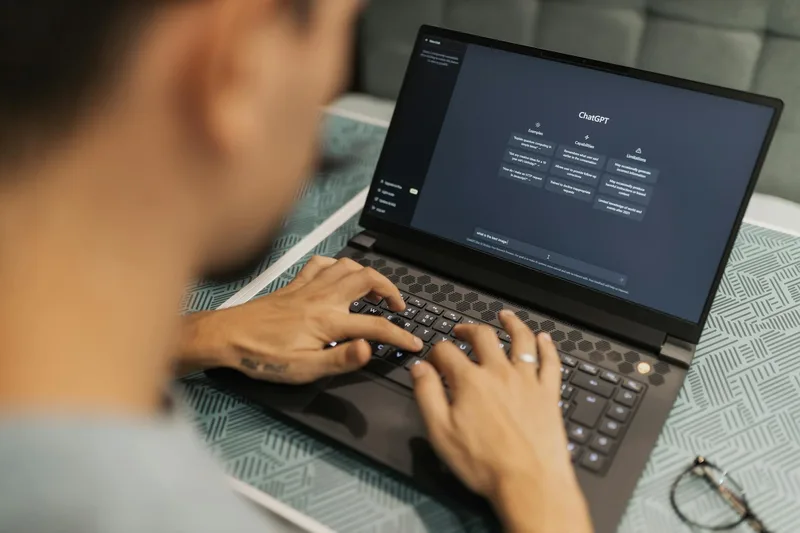
Claude or ChatGPT — Use for drafting email responses, summarizing long documents, writing first-pass social media content, creating SOP outlines, and brainstorming solutions to client problems. Do not use AI output without editing. Clients hire you for judgment — not for what an AI produces in 30 seconds.
Zapier — Automates connections between apps. When a new contact fills out a client’s form, Zapier can add them to a spreadsheet, send a welcome email, and create a task in Asana — without you touching anything. Learning basic Zapier automations makes you immediately valuable to any client with repetitive workflows.
Canva — Design tool with built-in AI features. Essential for VAs handling social media, presentations, or light content creation. The free plan handles most VA use cases.
Loom (revisited) — AI now generates transcripts and summaries of Loom recordings automatically. Record a training video once, and your client gets a searchable written summary alongside it.
The right framing: AI handles the draft, the first pass, the template. You handle the judgment, the tone, the client relationship. Keep that division clear, and you stay irreplaceable.
Frequently Asked Questions About Virtual Assistant Tools
What tools do most virtual assistants use?
Most virtual assistants use Google Workspace for files and email, Slack for client communication, one project management tool (Asana or ClickUp are most common), and a time tracker such as Toggl Track or Clockify. These four categories cover the core of most client workflows. Specific tools vary by industry and client type.
Do I need to pay for VA tools to get started?
No. Every major tool category has a free tier that covers beginner needs. Toggl Track, Clockify, Trello, Asana (basic plan), Slack, Google Drive, and Canva all offer free plans sufficient for starting out. Upgrade only when a specific client or project requires a paid feature — not before.
Which VA tool should I learn first?
Start with Google Workspace — it is the most universally required skill across all client types. Then add Toggl Track for time tracking and either Trello or ClickUp for project management. These three form a minimum viable professional toolkit that qualifies you for most entry-level VA roles.
How long does it take to learn VA tools?
Most tools reach basic proficiency in one to three hours and genuine confidence after one to two weeks of regular use. The fastest path is hands-on practice on a real project — even a mock one — rather than passive tutorial watching. Project management tools like ClickUp take longer because of their feature depth.
Do clients provide tools, or do I need to bring my own?
Both. Clients add you to their existing platforms (their Slack workspace, their Asana account, their Drive). You bring your own time tracker, invoicing setup, and communication preferences. Arriving with your own systems already in place signals professionalism — you are not building from scratch on a client’s clock.
Your Next Step
You now know the five tool categories every VA needs and the specific tools worth prioritizing in each one.
The next move is hands-on: pick one tool from each category and spend two hours building something real in it. Not watching a tutorial — building. Create a mock project in ClickUp. Set up a Toggl workspace. Organize a test Drive from scratch.
Every hour you invest in your tool stack before landing clients is an hour you are not explaining basics on someone else’s time.
When you are ready to evaluate your full skill profile, start with the virtual assistant skills checklist — it maps every competency clients look for, including where tools fit in the bigger picture.
Keep Reading
What to Do Next
Choose the path that fits where you are right now.
Find Your VA Niche
Take the free VA Career Assessment and find out which specialization matches your skills.
Take the Assessment